Tooling
Tooling for micropython for Pico and esp8266 and esp32
This is a file that you can put in the memory of the Raspberry Pico W or the ESP82/32 chipset that you in import into python call the functions.
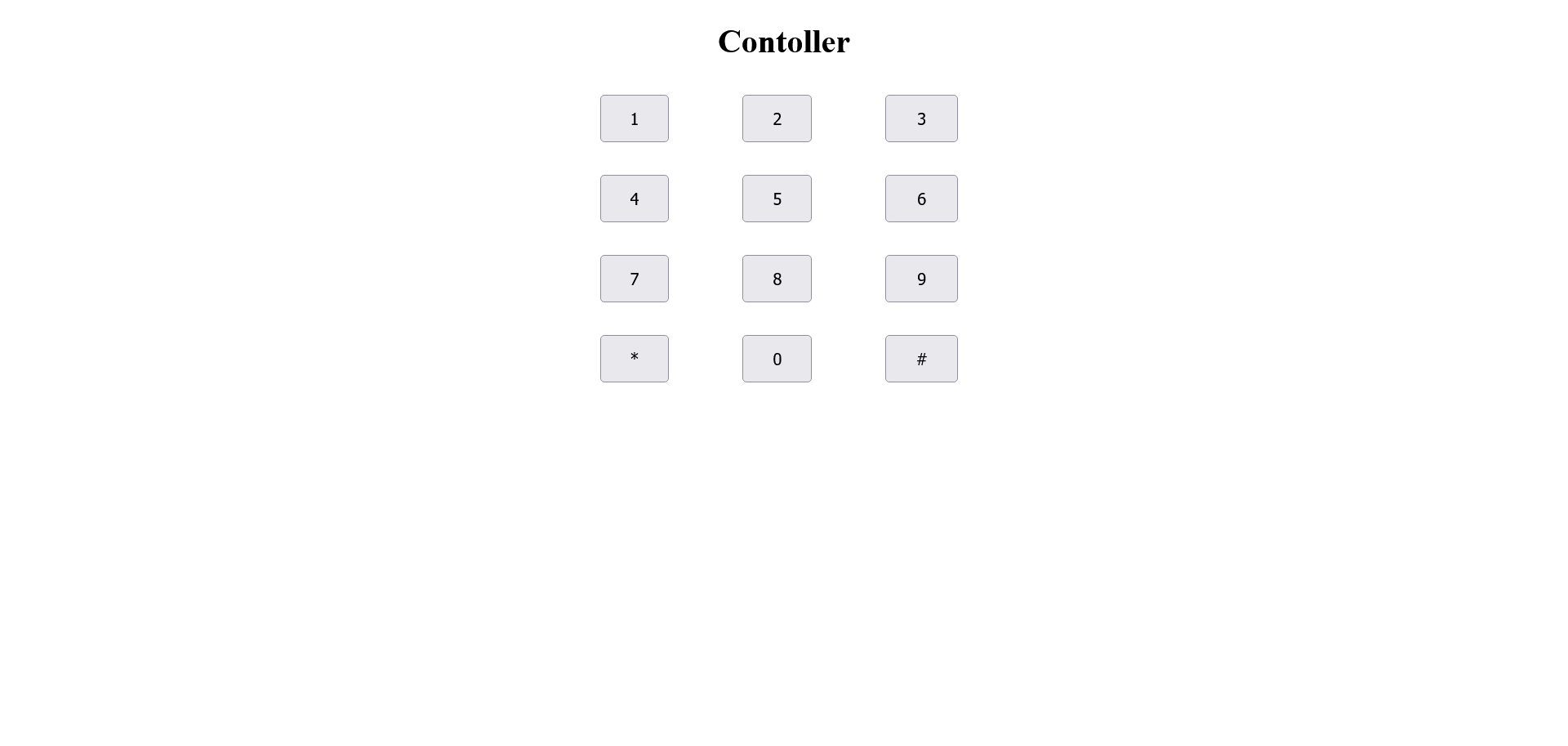
def control():
 control = """<!DOCTYPE html>
<html>
<head>
  <title>Keypad Control</title>
  <meta name="viewport" content="width=device-width, initial-scale=1">
  <style>
  th, td {
  padding-top: 10px;
  padding-bottom: 20px;
  padding-left: 30px;
  padding-right: 40px;
  align: center;
}
  .button {
  padding: 12px 28px;
  font-size: 16px;
  width: 100%;
}
 h1{text-align: center;}

 .center{
   margin-left: auto;
   margin-right: auto;
 }
  </style>
  </head>
  <body>
  <h1>Control Panel</h1>
  <p>
<table class="center">
  <tr>
  <td><button class="button" onclick="send(1")>1</button></td>
  <td><button class="button" onclick="send(2)">2</button></td>
  <td><button class="button" onclick="send(3)">3</button></td>
  </tr>
  <tr>
  <td><button class="button" onclick="send(4)">4</button></td>
	<td><button class="button" onclick="send(5)">5</button></td>
	<td><button class="button" onclick="send(6)">6</button></td>
   </tr>
   <tr>
    <td><button class="button" onclick="send(7)">7</button></td>
	<td><button class="button" onclick="send(8)">8</button></td>
	<td><button class="button" onclick="send(9)">9</button></td>
   </tr>
    <tr>
    <td><button class="button" onclick="send(*)">*</button></td>
	<td><button class="button" onclick="send(0)">0</button></td>
	<td><button class="button" onclick="send(#)">#</button></td>
   </tr>
 <table>
 </p>
 <script>
 function send(value) {
  var xhttp = new XMLHttpRequest();
  xhttp.onreadystatechange = function() {
    if (this.readyState == 4 && this.status == 200) {
      document.getElementById("state").innerHTML = this.responseText;
    }
  };
  xhttp.open("GET", "Value?state="+value, true);
  xhttp.send();
 }
</script>
 </p>
  </body>
  </html>"""
return control
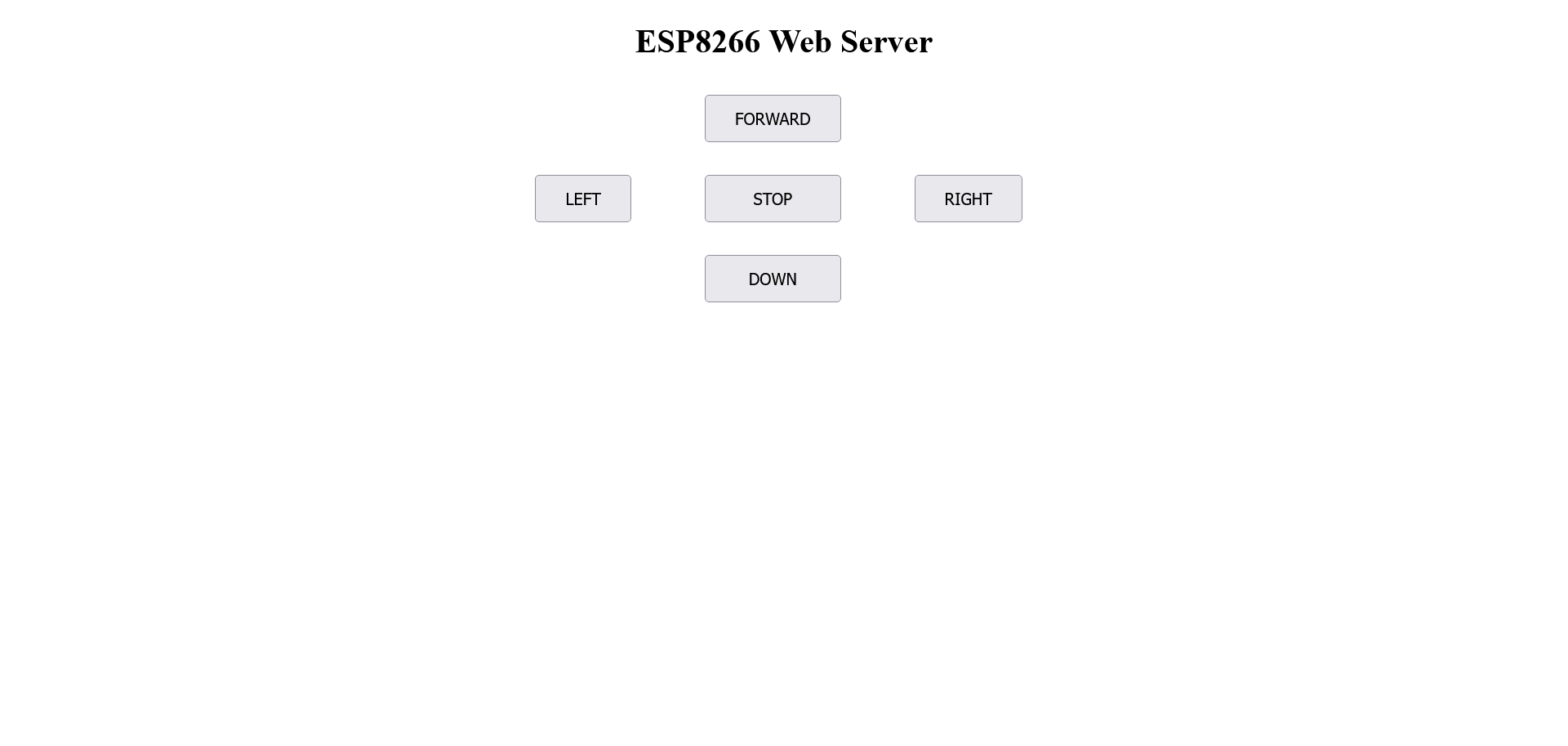
def robot():
 con_robot = """<!DOCTYPE html>
 <html>
 <head>
  <title>Robot Control</title>
  <meta name="viewport" content="width=device-width, initial-scale=1">
  <style>
  th, td {
  padding-top: 10px;
  padding-bottom: 20px;
  padding-left: 30px;
  padding-right: 40px;
  align: center;
 }
  .button {
  padding: 12px 28px;
  font-size: 16px;
  width: 100%;
 }
 h1{text-align: center;}

 .center{
   margin-left: auto;
   margin-right: auto;
 }
  </style>
  </head>
  <body>
  <h1>ESP8266 Web Server</h1>
  <p>
  <table class="center">
  <tr>
   <td></td>
    <td><button class="button" onclick="send(1)>FORWARD</button>/br></td>
	<td></td>
  </tr>
  <tr>
    <td><button class="button" onclick="send(2)>LEFT</button></td>
	<td><button class="button" onclick="send(3)>STOP</button></td>
	<td><button class="button" onclick="send(4)>RIGHT</button></td>
   </tr>
   <tr>
    <td></td>
	<td><button class="button" onclick="send(5)>DOWN</button></td>
	<td></td>
   </tr>
 <table>
 </p>
  <script>
 function send(value) {
  var xhttp = new XMLHttpRequest();
  xhttp.onreadystatechange = function() {
    if (this.readyState == 4 && this.status == 200) {
      document.getElementById("state").innerHTML = this.responseText;
    }
  };
  xhttp.open("GET", "Value?state="+value, true);
  xhttp.send();
 }
</script>
  </body>
  </html>
 """
 return con_robot